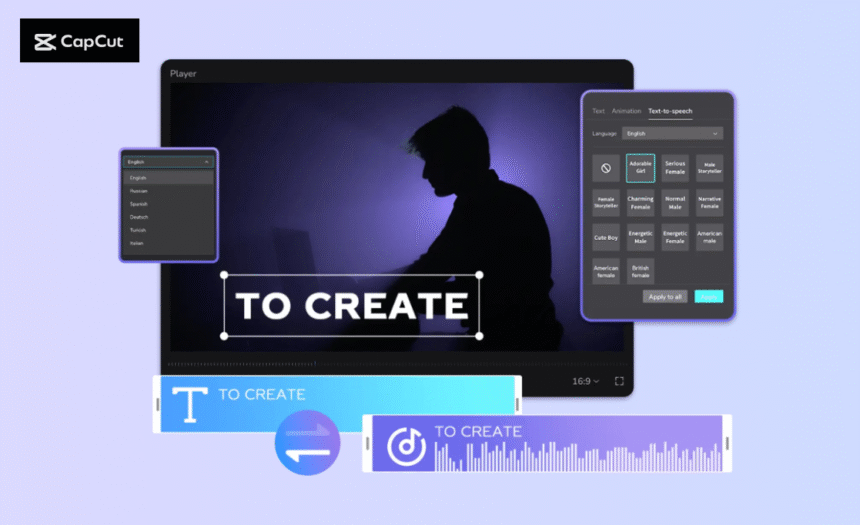
If you’ve ever written a blog post and wished it could reach more people — not just readers, but listeners and viewers — then transforming it into a video might be your best move. Videos grab attention faster, keep audiences engaged longer, and can be easily shared across platforms like YouTube, TikTok, and Instagram. Fortunately, you don’t need to record your own voice or hire a narrator to make this happen. With CapCut PC and its powerful Text to Speech AI feature, turning your written blogs into captivating videos is easier than ever.
Why Turn Blog Posts into Videos?
Before we jump into the steps, let’s look at why converting your written work into video format is worth your time:
- Reach a wider audience – Some people prefer watching to reading. By transforming your blog posts into videos, you cater to visual and auditory learners, expanding your reach beyond just readers.
- Boost engagement – Videos with voiceovers grab attention on social platforms, keeping audiences hooked longer than plain text or images.
- Save time – Instead of recording your own narration, you can instantly generate natural-sounding voices using CapCut’s Text to Speech feature.
- Improve SEO – Uploading your video versions to platforms like YouTube or embedding them in your blog boosts search visibility, helping your content rank higher online.
- Repurpose content easily – You don’t need to write a new script — use your existing blog text and let CapCut do the talking.
CapCut Text to Speech: The Secret to Seamless Narration
CapCut’s Text to Speech tool lets you automatically convert any text — including blog posts, captions, and scripts — into realistic voiceovers. You can choose from multiple voices, accents, tones, and styles, from professional narrators to casual conversational ones. This feature doesn’t just save time; it also ensures consistent quality, especially if you want to keep the same voice across different videos. You can even apply effects like fade in/out, volume adjustment, and noise reduction for polished sound. Let’s explore how you can transform your blog posts into dynamic videos using CapCut PC.
How to Turn Blog Posts into Videos Using CapCut Text to Speech
Step 1: Upload Video
Start by opening the CapCut desktop video editor on your computer. Click “Create project” to begin a new edit. Once your workspace opens, select “Import” to bring in visuals that will accompany your blog narration. You can use relevant stock footage, images, animations, or your own clips. CapCut supports various file formats so that you can import content directly from your device, phone, or previous projects. After importing, drag your media files onto the timeline. This is where you’ll build your video structure — aligning visuals with narration and adding transitions, overlays, or effects to enhance the storytelling. Add some AI images by using CapCut AI Image Generator and make your video super engaging.

Step 2: Convert Text to Speech
Now comes the exciting part — turning your blog post into an engaging voiceover. Go to the Text panel and select “Default text.” Copy and paste a paragraph or section from your blog post into the text box. Once done, click “Text to Speech.” CapCut will instantly generate a voiceover from your text.
You can preview and choose from a variety of voice styles — male or female, calm or energetic, formal or friendly. Each one gives your video a distinct tone, helping you match the mood of your blog. Once you’ve picked your preferred voice, apply finishing touches to your audio using built-in tools. Try CapCut’s other features, such as Background Remover, AI Video Generator, or Auto Captions, to style your blog posts.

Step 3: Export & Share
Once your video looks and sounds great, it’s time to finalize and share it. Click “Export” in the top-right corner of the screen. You can now adjust your file name, resolution, frame rate, format, and quality settings based on your platform of choice. For example, use a vertical format for TikTok or Instagram Reels, and a horizontal format for YouTube. After setting your preferences, hit “Export” to save the finished video to your computer. CapCut also allows direct sharing to major platforms like YouTube, TikTok, and Instagram, so you can instantly upload your content for your followers to enjoy.

Conclusion
Turning your blog posts into videos isn’t just a trend — it’s a smart way to grow your online presence and connect with a wider audience. With CapCut PC’s Text to Speech feature, you can effortlessly breathe new life into your written content, giving it a voice and a visual appeal that resonates with viewers. So, don’t let your words stay confined to a webpage. Open CapCut PC today, paste your blog text, generate a natural voiceover, and watch your written stories transform into engaging, shareable videos that stand out across every platform.
WATCH TOP VIDEOS FROM NIGERIAN TRIBUNE TV
- Relationship Hangout: Public vs Private Proposals – Which Truly Wins in Love?
- “No” Is a Complete Sentence: Why You Should Stop Feeling Guilty
- Relationship Hangout: Friendship Talk 2025 – How to Be a Good Friend & Big Questions on Friendship
- Police Overpower Armed Robbers in Ibadan After Fierce Struggle