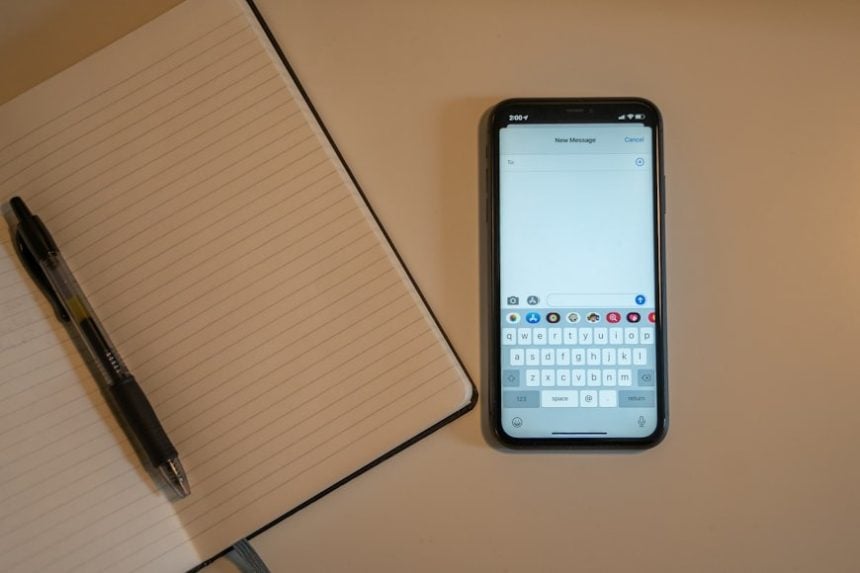
Undoubtedly, every student has experienced that moment before an exam when an important note seems impossible to find. Good note-taking is not only about recording information; it is about organizing knowledge in a way that makes revision easier weeks or even months later.
As students juggle lectures, assignments, research projects, and exam preparation, choosing the right note-taking app has become almost as important as choosing the right laptop.
Meanwhile, digital learning continues to evolve, and students are moving away from traditional notebooks and adopting apps that can sync across devices, store lecture materials, and help manage assignments.
So, if you are searching for the best note-taking apps in 2026, Tribune Online looks into these seven platforms that stand out for their reliability, ease of use, and continued innovation.
While many platforms continue to add AI-powered features, the best apps are still the ones that help students capture, organise, and retrieve information quickly.
Notion
Notion remains one of the most popular productivity tools among students because it combines note-taking, project management, and academic planning in one workspace.
Students can create dedicated pages for each course, build revision schedules, and organize research materials without jumping between different apps. According to insights shared by the Notion development team, the platform is designed to help users centralize information and customize workflows to match their personal study habits.
Founded in 2013 by Ivan Zhao, Chris Prucha, Jessica Lam, Simon Last, and Toby Schachman, notion is said to be a singular dashboard where both individuals and businesses can capture thoughts, manage projects, and organize anything.
According to the good trade, notion is not just for notetaking, “but for building whatever you need: docs, wikis, workflows, and beyond. Consider it an operating system for your brain.”
For students managing multiple classes and deadlines, Notion offers flexibility that few competitors can match.
Microsoft OneNote
Microsoft OneNote continues to be a dependable option for students who want a traditional notebook experience in digital form.
The app allows users to organize notes into notebooks, sections, and pages, making it easy to separate subjects and projects.
According to PC Magazine, Microsoft OneNote offers every feature one can demand, “including cross-platform syncing, free-form sketching, straightforward organization tools, and voice notes.” Adding that, “the app’s web clipper works exceptionally well, too. Better yet, it offers a highly capable free version.”
Although the magazine said the OneNote optical character recognition (OCR) tools could be better, OneNote is still the first app most people who want to take digital notes should try, and an Editors’ Choice winner.
Microsoft’s official documentation highlights its support for handwriting, audio recording, drawing tools, and collaboration features, all of which are valuable in both classroom and remote learning environments.
Obsidian
Obsidian has gained a loyal following among university students, researchers, and lifelong learners.
Rather than focusing solely on storing notes, Obsidian helps users connect ideas through linked notes and visual knowledge maps. Developers behind the platform emphasize ownership of data and long-term knowledge management as key design principles.
The PC Magazine reviewed that Obsidian is among the most adaptable options they have tested, stating that it offers several ways to organize your notes, provides deep customization options, and supports numerous plug-ins and themes.
Not only for students, obsidian is also free for both personal and professional use, but with an option to support the developers.
Students studying complex subjects such as law, medicine, engineering, or history often appreciate the ability to connect related concepts across different courses.
Apple Notes
Apple Notes has become one of the strongest note-taking apps available for students within the Apple ecosystem.
The app offers fast synchronisation across iPhone, iPad, and Mac devices, along with support for document scanning, handwritten notes, and collaborative editing.
The Notes app built into Apple devices has long offered people a quick and convenient way to save lists, thoughts, and other random items. Meanwhile, while Apple initially shunned the bells and whistles found in other note-taking apps; it has been upgraded over time.
2024, Apple Intelligence brought AI-powered enhancements that can proofread, rewrite, and summarise your notes. You can also transcribe and summarise recordings of phone conversations, create images from text using Image Playground, or turn your rough sketches into professional images with Image Wand.
For 2025, Apple revised the way you search for notes, added a Reed pen to bring a calligraphic effect to your marking, and expanded the app to the Apple Watch..
Its clean interface makes it especially appealing to students who want a distraction-free environment for capturing lecture notes and ideas.
ALSO READ: Typhoid season warning: Deadly mistake Lagosians make with sachet water
Evernote
Evernote continues to serve students who regularly conduct research online.
Its web-clipping tool allows users to save articles, PDFs, images, and webpages directly into organized notebooks. The company focused on helping users collect and retrieve information efficiently, making it useful for coursework that requires extensive reading and reference materials.
In the PC Magazine, Justin Pot wrote that, “we enjoy its (Evernote) top-notch tools for writing, organizing, and syncing notes, along with a few genuinely useful AI transcription features.”
He added that the app’s web clipper is also among the most capable they have used. That said, “Evernote’s extremely limited free version and expensive paid tiers remain downsides.” For research-heavy subjects, Evernote remains a practical choice.
Google Keep
Not every student needs a feature-packed productivity platform. Sometimes simplicity works best.
Google Keep is designed for quick note capture, checklists, reminders, and voice memos. Because it connects seamlessly with Google services, students can quickly access notes from any device with a Google account.
Keep benefits from being part of Google’s suite of Workspace applications. It will automatically sync with your Google Drive – allowing you to access your notes from any device anywhere.
PC guide also notes that it has some pretty neat integrations. For example, you can copy across a note from Keep straight into Docs with the “Copy to Google Doc” feature.
Its straightforward approach is often ideal for managing daily academic tasks.
RemNote
RemNote combines note-taking with active learning, making it particularly valuable during exam periods.
The platform allows students to turn notes into flashcards and review them using spaced repetition techniques. Developer updates frequently focus on helping learners retain information more effectively rather than simply storing it.
According to The Process Hacker, RemNote sets itself apart from competitors by emphasizing active learning and memory retention, and not focused on storing and organizing information like many note-taking apps.
RemNote incorporates learning science principles to help you engage with and retain the information. And for students preparing for demanding examinations, this learning-focused approach can be extremely useful.
Meanwhile, students who need an all-in-one academic hub may prefer Notion. Those who value structured knowledge management often choose Obsidian.
OneNote remains a strong all-rounder, while Apple Notes offers excellent simplicity for Apple users. Evernote excels at research collection, Google Keep shines in quick organization, and RemNote is built for serious revision.
As digital learning becomes more important, choosing the right tool can help students stay organized, reduce stress, and spend less time searching for information when exams arrive.
WATCH TOP VIDEOS FROM NIGERIAN TRIBUNE TV
- Relationship Hangout: Public vs Private Proposals – Which Truly Wins in Love?
- “No” Is a Complete Sentence: Why You Should Stop Feeling Guilty
- Relationship Hangout: Friendship Talk 2025 – How to Be a Good Friend & Big Questions on Friendship
- Police Overpower Armed Robbers in Ibadan After Fierce Struggle