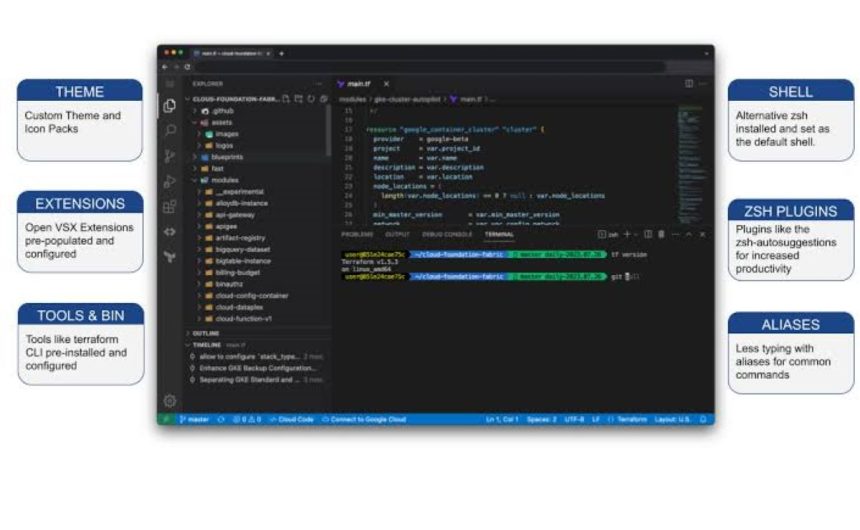
Many developers, software engineering interns and remote technology professionals now rely on cloud-based virtual machines (VMs) to handle coding, testing and deployment tasks.
- Understand what virtual machine does
- Choose the right cloud platform
- Create consistent development environment
- Use secure SSH access
- Optimise resource allocation
- Enable automatic shutdown schedules
- Back up important data regularly
- Use version control systems
- Average monthly data cost for running a cloud workstation in Nigeria
Cloud workstations provide computing resources that can often exceed the capabilities of personal laptops, allowing developers to work efficiently from virtually anywhere.
In this article, Tribune Online explains what developers should know about virtual machine deployments and cloud workstation optimisation.
Understand what virtual machine does
A virtual machine is a software-based computer that runs on physical servers in a cloud environment. It allows developers to access processing power, storage and memory remotely without relying entirely on local hardware.
This means resource-intensive activities such as software compilation, application testing and data processing can be performed on cloud infrastructure instead of personal computers.
Choose the right cloud platform
Several cloud providers offer virtual machine services for developers. Popular options include Amazon Web Services (AWS), Microsoft Azure and Google Cloud Platform.
The choice often depends on project requirements, pricing, available tools and familiarity with the platform. Many providers also offer free tiers or student programmes that allow beginners to gain experience without significant costs.
Create consistent development environment
One of the major benefits of cloud workstations is consistency. Developers can configure their preferred operating systems, software packages, libraries and development tools on a virtual machine.
This reduces compatibility issues that often occur when switching between devices and helps teams maintain standardised development environments.
ALSO READ: How Basirat Oyekan’s vision for cloud computing and AI empowers SMEs to drive economic growth
Use secure SSH access
Secure Shell (SSH) is commonly used to access and manage virtual machines remotely . Developers are generally advised to use SSH key authentication instead of passwords because it offers stronger security.
Private keys should be stored securely and never shared publicly. Regularly updating access credentials can also reduce security risks.
Optimise resource allocation
Virtual machines are available in different sizes and configurations. Selecting resources that match project requirements improves performance and control costs.
For example, developers handling machine learning workloads may require more processing power and memory than those working on basic web applications.
Overprovisioning resources can lead to unnecessary expenses, while underprovisioning may reduce productivity.
Enable automatic shutdown schedules
Cloud resources continue to incur charges while running. Developers can reduce costs by configuring automatic shutdown schedules during periods of inactivity.
Many cloud providers offer automation tools that stop or suspend virtual machines when they are not being used.
Back up important data regularly
Data protection remains essential in cloud environments. Developers should implement regular backups of source code, configuration files and project data.
Cloud platforms provide backup and snapshot features that can restore systems quickly if problems occur.
Use version control systems
Version control tools such as Git allow developers to track changes, collaborate effectively and recover previous versions of projects when necessary.
Combining virtual machines with version control platforms can improve workflow efficiency and reduce the risk of losing important work.
Average monthly data cost for running a cloud workstation in Nigeria
Running a cloud workstation full-time in Nigeria (around 160 hours a month) consumes roughly 160 GB of data, because you are only paying to stream the visual desktop interface rather than the backend heavy lifting.
Depending on your choice of network infrastructure, whether using large mobile data bundles from networks like MTN or opting for uncapped fiber, fixed wireless, or Starlink subscriptions, you can expect an average monthly local internet spend of ₦30,000 to ₦45,000.
You can further minimise this cost by keeping video conferencing on your local machine and dropping the workstation’s streaming resolution to 1080p.
WATCH TOP VIDEOS FROM NIGERIAN TRIBUNE TV
- Relationship Hangout: Public vs Private Proposals – Which Truly Wins in Love?
- “No” Is a Complete Sentence: Why You Should Stop Feeling Guilty
- Relationship Hangout: Friendship Talk 2025 – How to Be a Good Friend & Big Questions on Friendship
- Police Overpower Armed Robbers in Ibadan After Fierce Struggle