Landing a remote tech job and getting overlooked is not always your coding skills. Sometimes, it is the first 30 seconds of your interview. A crackling microphone, echo-filled audio, or constant background noise can distract interviewers before you have even answered the first technical question.
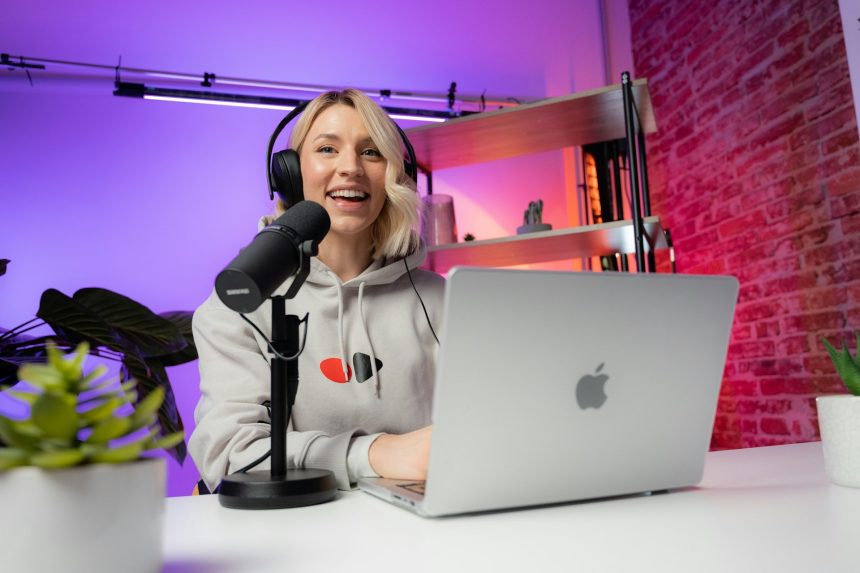
A N15,000 budget allows remote senior developers to upgrade from built-in microphone audio to clear, AI-assisted wireless lavalier setups, improving communication during technical interviews.
Meanwhile, if you are preparing for your next remote interview, investing in your audio setup may deliver a better return than buying a new webcam. A modest budget of around N15,000 can surprisingly improve how you sound, helping you appear more prepared, professional, and confident.
Therefore, searching for remote tech interview setup audio hacks, the goal is not to impress recruiters with expensive gadgets, but to ensure your voice is audible and easy to understand.
Audio matters more than video
Unknowingly, many candidates spend hours perfecting their camera angle while overlooking poor sound quality. Yet communication experts agree that clear audio has a greater impact on virtual conversations than ultra-high-definition video.
Research from Microsoft’s Work Trend Index shows that collaboration in hybrid and remote workplaces depends heavily on effective communication, while poor audio quality increases fatigue and reduces engagement during virtual meetings. Likewise, Zoom’s meeting best practices encourage participants to prioritise audio clarity because it directly affects meeting quality and comprehension.
So, for technical interviews where candidates explain algorithms, system architecture, and problem-solving approaches, every word matters.
How N15,000 setup can sound surprisingly professional
You don’t need a studio-quality recording environment to make a strong impression during interviews or beyond.
Within a N15,000 budget, you can purchase a quality wired lavalier microphone or an entry-level USB microphone, depending on current market prices. Combined with a pair of wired earphones and a quiet room, this simple setup often produces clearer audio than the built-in microphone found on many laptops.
Even if your budget is limited, positioning the microphone correctly for about 15 to 20 centimetres from your mouth can improve voice clarity while reducing background noise.
ALSO READ: July security sweep: Why you must reset your bank app login credentials now
Understand and control your environment before the interview
You should understand the environment where you reside. The room around you matters just as much as the microphone itself.
And, hard surfaces create echoes, while fans, generators, traffic, and television noise compete with your voice. Closing windows, switching off unnecessary appliances, and choosing a smaller furnished room can also improve sound quality.
Soft furnishings such as curtains, rugs, and upholstered furniture naturally absorb echoes, making your voice sound warmer and easier to understand without purchasing expensive acoustic treatment.
Internet stability is part of your audio setup
Many candidates blame their microphones when unstable internet connections are actually causing distorted audio.
Whenever possible, use a reliable broadband connection or position yourself where your mobile network signal is strongest. Close unnecessary applications that consume bandwidth and disconnect unused devices from your network during the interview.
If your interview platform allows it, test your connection several minutes beforehand to identify potential issues before the call begins.
Speak like an experienced professional
Communication matters a lot during interviews. Good audio equipment cannot compensate for poor communication.
Senior developers can explain technical concepts in a structured, confident manner. Instead of rushing through answers, pause briefly before responding, organise your thoughts, and explain your reasoning step by step.
Interview research published by LinkedIn also highlights that strong communication skills remain one of the most valued professional attributes alongside technical expertise. Candidates who explain complex ideas with clarity often leave stronger impressions than those who simply provide correct answers.
Run complete equipment check
Before every interview, conduct a complete rehearsal. Record yourself answering common interview questions, listen carefully for background noise, confirm your microphone is selected correctly within Zoom, Google Meet, or Microsoft Teams, and verify that notifications are muted.
A five-minute test can prevent technical distractions that might otherwise interrupt an important conversation
Nonetheless, mastering remote tech interview setup audio hacks is not to pretend to be more experienced than you are. It is about removing distractions so interviewers can focus on your technical ability, communication skills, and problem-solving approach.
WATCH TOP VIDEOS FROM NIGERIAN TRIBUNE TV
- Relationship Hangout: Public vs Private Proposals – Which Truly Wins in Love?
- “No” Is a Complete Sentence: Why You Should Stop Feeling Guilty
- Relationship Hangout: Friendship Talk 2025 – How to Be a Good Friend & Big Questions on Friendship
- Police Overpower Armed Robbers in Ibadan After Fierce Struggle